The Best Alternatives to Microsoft Edge in 2026
Microsoft Edge is the default web browser of the Windows ecosystem, installed on all new Windows PCs and laptops. It’s got several big advantages, like relatively strong security and helpful productivity features, plus increasingly powerful AI integration, too. But it’s not perfect, and if you’re looking for the best Microsoft Edge alternatives to test out, this guide covers five of the best.
5 Best Microsoft Edge Alternatives to Try
All web browsers do the same basic functions, but they each bring something different to the table. The list below features a mixture of Microsoft Edge alternatives aimed at beginners, power users, and those who care about security and privacy above all else.
Best for Beginners – Google Chrome
By far the most popular browser in the world, with more than 70% of the market share, Google Chrome needs little introduction. It was created by one of the world’s biggest tech firms and is powered by high-end technology that allows it to be fast, fluid, and efficient.
It’s also impressively simple to work with, with a neat interface and features that are intuitive and beginner-friendly. Plus, it integrates seamlessly with other elements of the Google ecosystem, so if you’re a big user of Google’s services, like Google Mail, Docs, and Drive, you’ll find it a joy to use.
Best Performance – Mozilla Firefox
Firefox may not be as popular as Microsoft Edge, but it’s a worthy alternative to consider, with a lot of advantages. It’s one of the most reliable all-around browsers, for example, with strong security, speed, and efficiency ratings.
With built-in tracking and fingerprinting protection, it does a decent job of keeping your data safe. It also loads pages quickly and generally doesn’t consume as much RAM as other options (depending on the number of open tabs). But overall, Firefox shouldn’t slow down your device too much.
Best for Privacy – Brave

For those who care most about staying safe online – which is increasingly important these days with so many cyber threats out there, like phishing and AI-powered attacks – Brave is arguably the best browser to choose.
Everything about this browser was built with security in mind. It blocks ads, it protects your data, it offers a private search engine that won’t profile you, and it even has built-in firewall and VPN tools to improve your online security even further.
Best for Features – Opera
Opera is another of the best Microsoft Edge browsers, performing well in many categories, from speed to security. It’s not necessarily the most beginner-friendly option, but for more advanced users and power users, it’s a terrific choice.
You’ll find a great range of features to experiment with in Opera, like tab islands that help to keep tabs organized in their own contextual groups, an AI chatbot, a free VPN, and even the option to add your favorite messenger app to the sidebar for seamless chats with friends and colleagues.
Best for Customization – Vivaldi
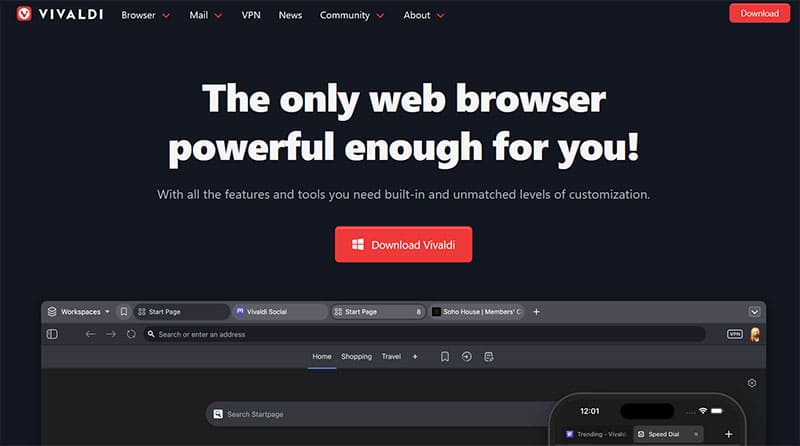
Finally, we come to one of the lesser-known browsers on this list, but one that is fast gaining traction for its strong performance and customization capacities: Vivaldi.
Almost a fusion of Chrome and Opera, Vivaldi uses resources efficiently to maximize your browsing speed and enjoyment. It also offers countless ways to customize your experiences, as you can change themes, styles, widgets, bars, buttons, shortcuts, and more, to truly make it look and feel unique.
Is Your Pixel’s Battery Draining Too Fast? Here’s Why and What to Do
Read Next