Common Issues With Windows 11 March Update
Windows 11 updates are supposed to make things better, delivering new and improved features, bug fixes, and security improvements. But they sometimes do more harm than good, and that has been the case with a recent Windows 11 March update. This update introduced a range of problems, preventing users from logging into several important apps and services. Read on for a closer look.
Issues With the Windows 11 March Update
On March 10, Microsoft released its Windows 11 March update, KB5079473. Soon after, users began reporting various problems, mostly centered around difficulties signing in to major Microsoft/Windows applications, such as OneDrive and Edge.
The Main Issue – Sign-in Problems
The most commonly-reported problem with this Windows 11 March cumulative update was that users couldn’t sign into numerous apps like OneDrive, the Edge browser, Microsoft Teams, Microsoft 365 Copilot, and some Microsoft Office programs like Word and Excel. When trying to sign in, users would instead be greeted with an error message stating:
“You’ll need the Internet for this. It doesn’t look like you’re connected to the Internet.”
This message would appear even if the user was connected to the internet, causing a lot of confusion and frustration. It meant that people couldn’t log into their accounts for many of their most-used apps. Microsoft later explained that the bug was connected to a specific network connectivity state, which incorrectly triggered the error message.
Other Reported Issues – Performance, Stability, and Errors
As well as the sign-in issue with the Windows 11 March update, there were also reports of other problems, like:
- Performance: Some users reported their Windows devices running more slowly than before after this update. Some noted higher-than-normal memory usage, responsiveness issues, and sudden crashes.
- Error Messages: As well as the aforementioned sign-in error message, some users also encountered other error codes (like the 0x80070306 code) and messages when using their devices.
- Compatibility: There were also reports of certain apps – ranging from everyday productivity apps like Calculator, to AAA video games – crashing or refusing to work correctly on some machines after installing this update.
How to Fix the Windows 11 March Cumulative Update Issue
Soon after problems were reported with the Windows 11 March update, Microsoft shared a temporary workaround. It advised users to restart their devices while connected to the internet to restore full functionality and resolve sign-in errors. Fortunately, Microsoft has since gone a step further and released another update to patch the problems caused by the previous one.
Your device may install this new update and fix itself automatically. If not, here’s what to do.
Step 1. Press the “Windows” and “I” keys to access the “Settings” menu.
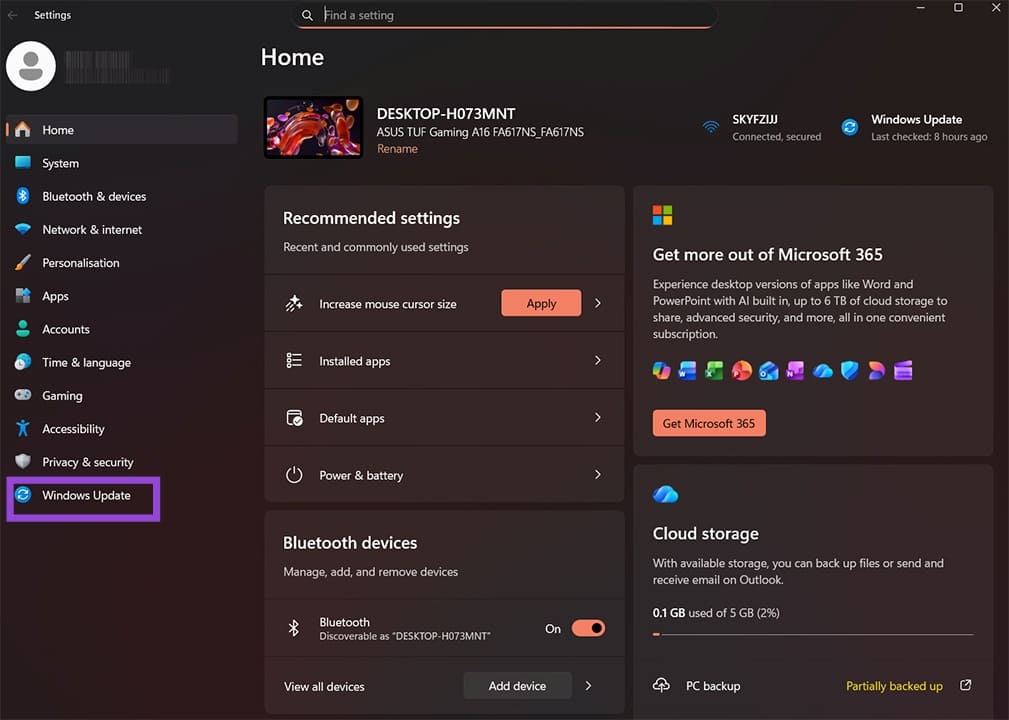
Step 2. Go to “Windows Update” and click the “Check for updates” button.
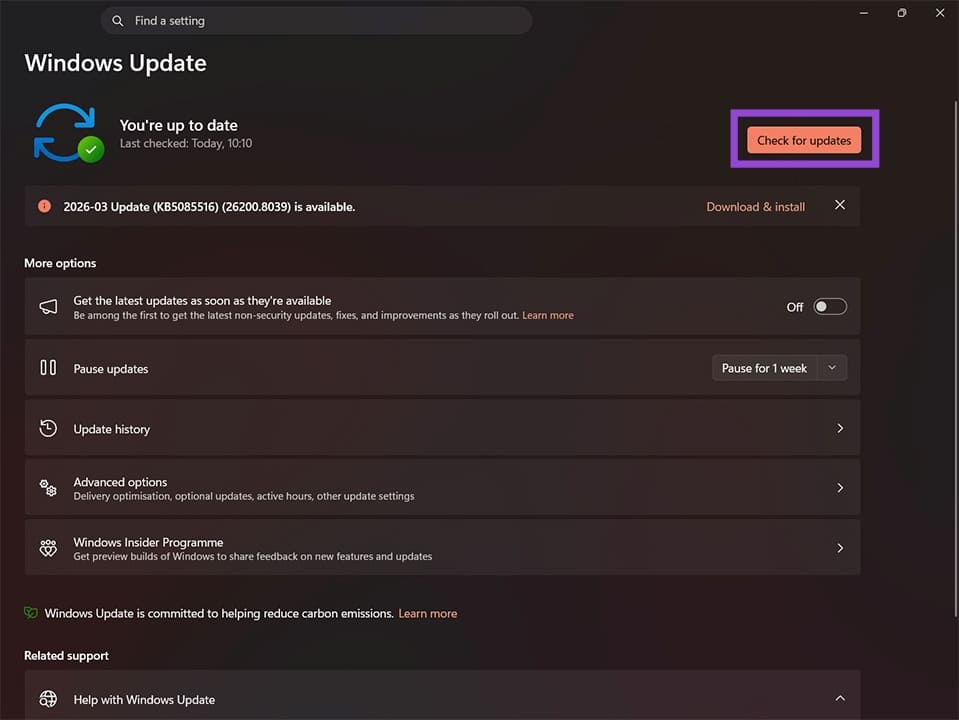
Step 3. If any updates appear, click the “Download & install” button to install them. You may also need to restart your device for the changes to fully take effect. Once you do so, any issues you were experiencing with this update should have been resolved.
How to Add External GPU Without Using a PCIe Slot
Read Next