




How to Generate a Battery Health Report on a Windows Laptop
Whether you use your laptop at home, in the office, or on the go, there are times when you have to rely on its battery rather than mains power. Modern laptop batteries are more reliable than older alternatives, lasting more hours per charge and enjoying a longer overall lifetime. However, most laptop batteries will degrade or die after a maximum of five years, depending on usage.
You can monitor how well your battery is performing by prompting Windows to run a battery health report. You won’t find this in the “Settings” menu, but it’s easy to do and simple to understand once you have the report. Learn how to use the Command Prompt window to create a battery health report Windows 11 will display in a browser window for easy reading.
Create a Battery Health Report Windows 11: Step-by-Step Guide
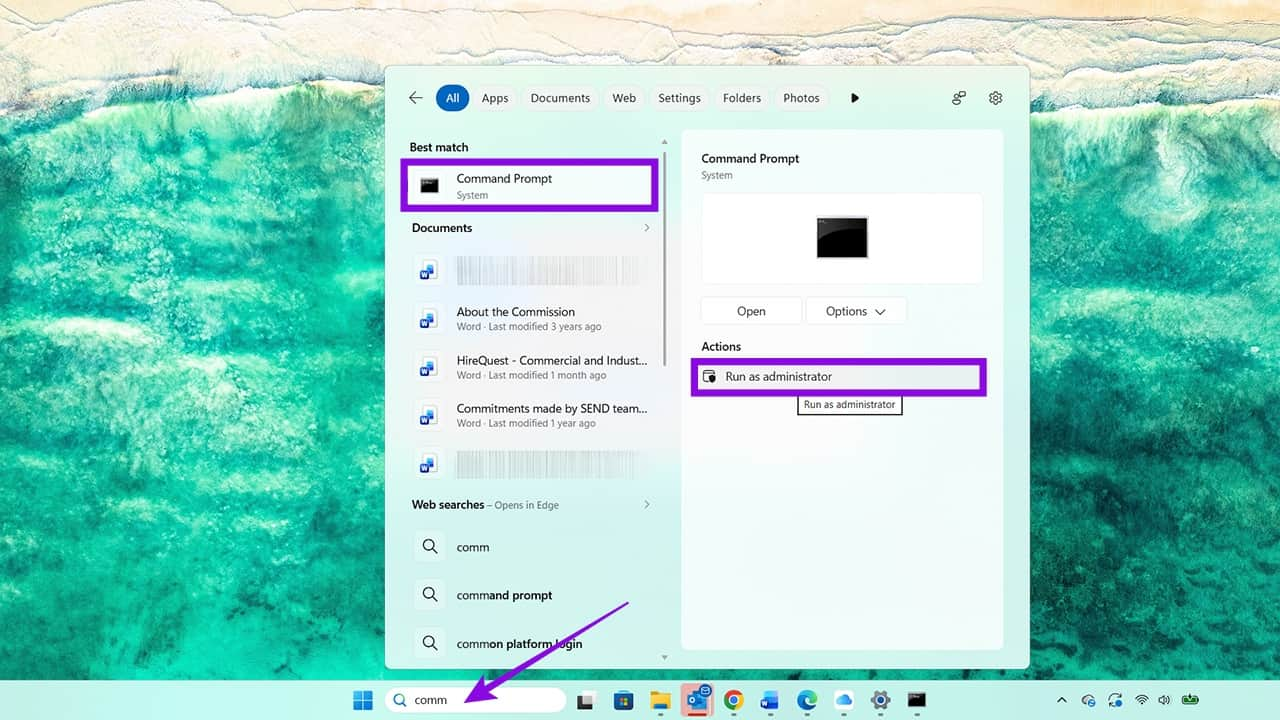
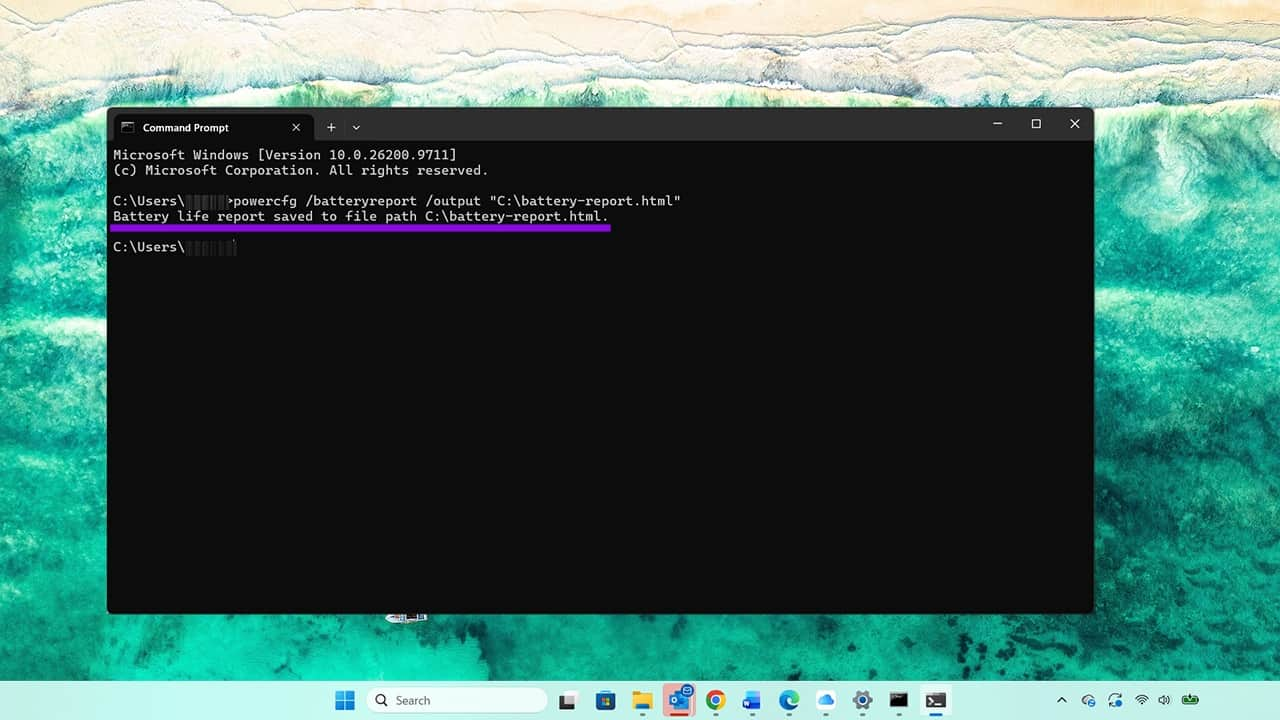
Step 1. Search for “Command Prompt” using the Windows search bar, then select “Run as administrator.”
Step 2. Type in:
powercfg /batteryreport /output “C:\battery-report.html”
This is a simple function that tells the power system on your laptop to generate a battery report and save it to this exact location.
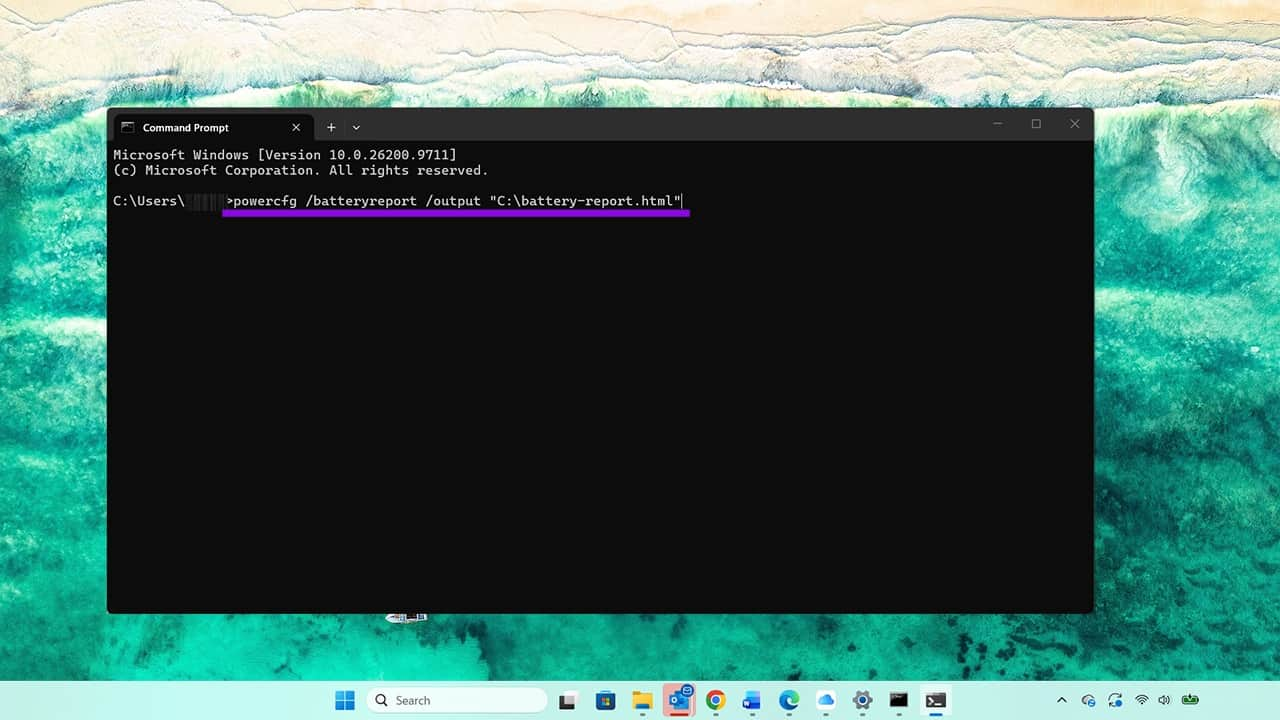
Step 3. Press “Enter” and check that there is a confirmation that the battery life report has been saved.
Step 4. Now it’s time to take a look at the report. There are two ways to do this. You can open File Explorer and navigate to the C drive via the menu on the left. The battery report should appear there as an HTML document. It will usually have the same icon as your default browser. Here, you can see it’s a Google Chrome icon.
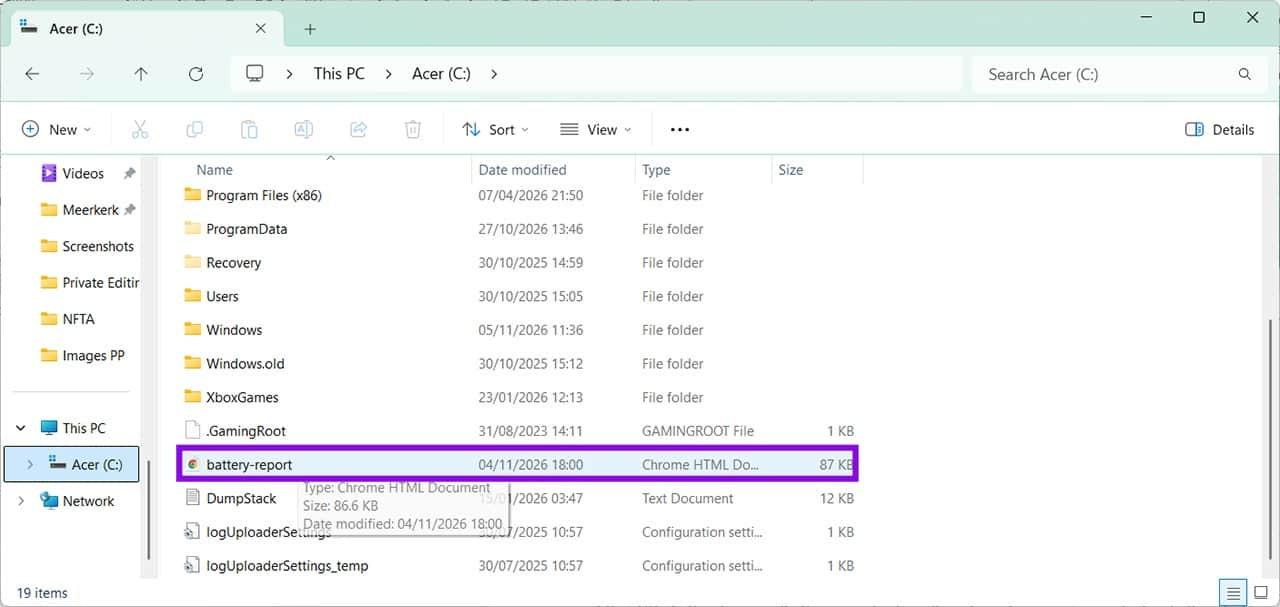
You can double-click the icon to open the report in your browser. Alternatively, you can copy and paste the path from the Command Prompt window, enter it directly into your browser, and press “Enter.” Either way, you will see the new battery report in your browser.
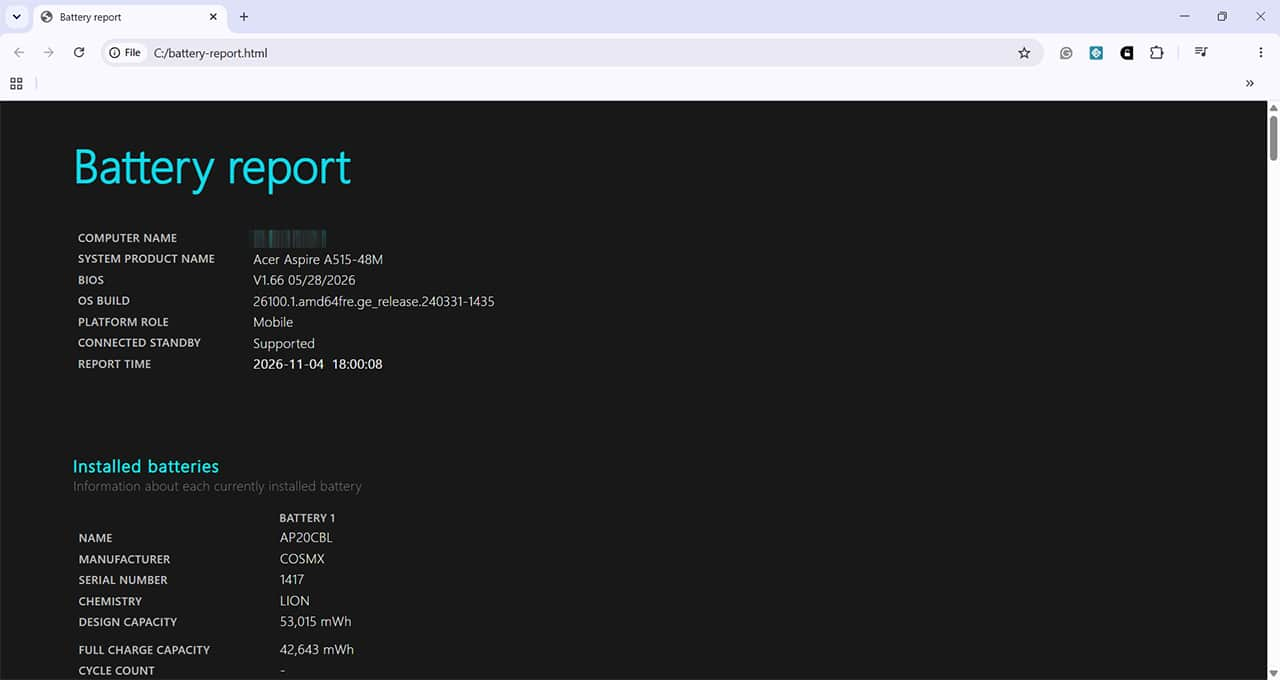
Check Laptop Battery Health: What Your Laptop Battery Health Report Means
There are several sections to your battery health report. The first section, seen above, shows the name of the laptop, the type, and details on the operating system you’re using. The second section on the same page tells you what type of battery is installed and the expected and actual capacity, in milliwatt-hours (mWh).
If you scroll down, you’ll find the “Recent Usage” section, which shows when the battery was in use and when it was connected but in standby, for example, if you leave your laptop on charge when you’re not using it. The report also displays the remaining battery capacity during these periods.
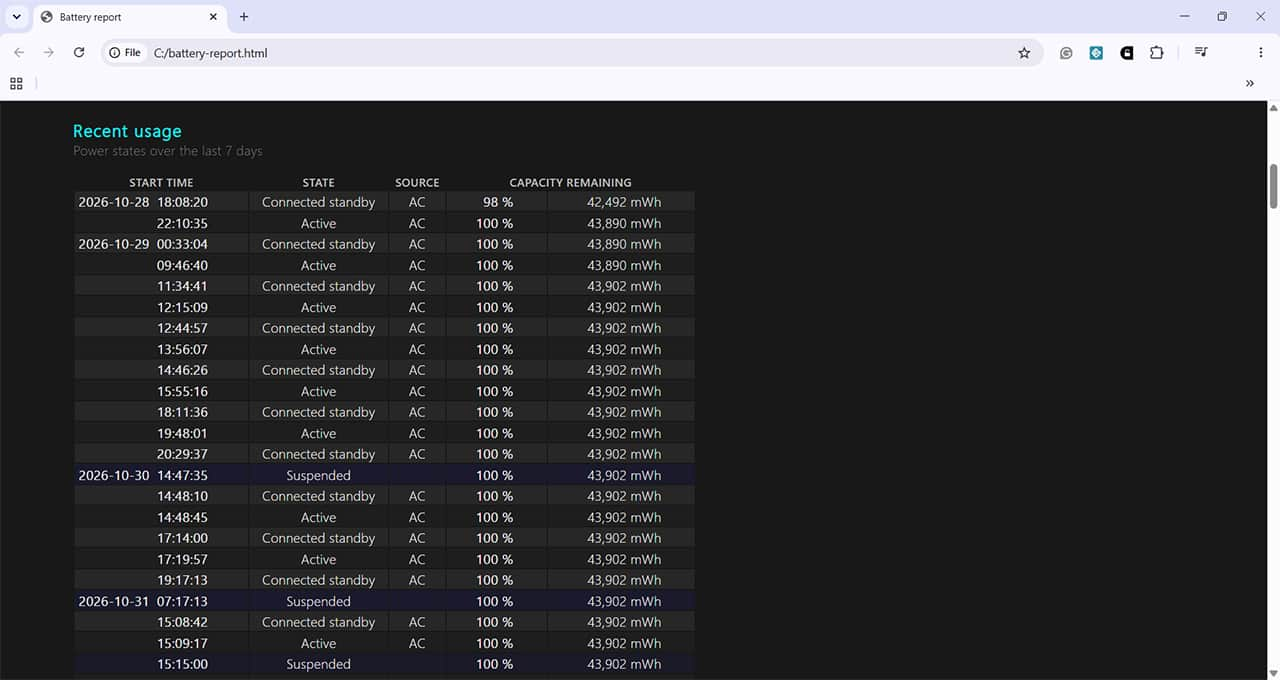
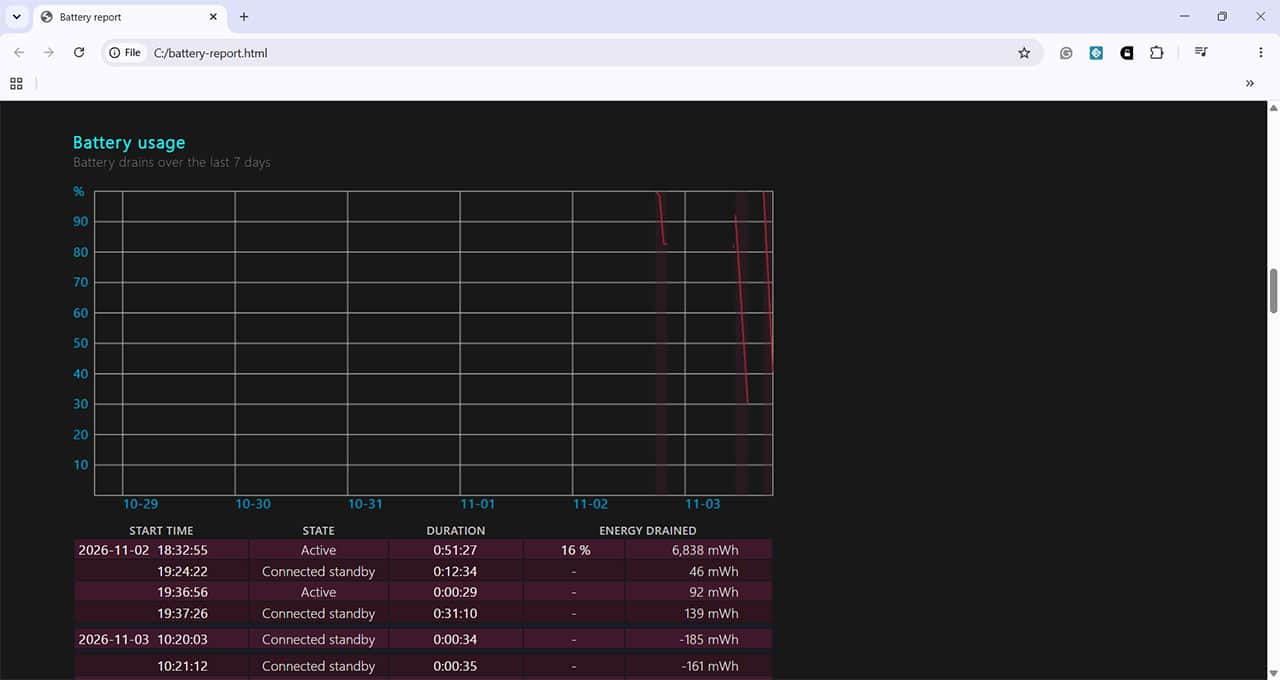
The next section shows any drain on your battery over the last seven days, in both a visual graphic form and as a list of dates and times. You might find this useful if you’re wondering what tasks impact the battery most. For example, if you can see that there was a 16% drain over 51 minutes while watching YouTube, and this is higher than when just checking emails, you know that streaming video is a more battery-intensive activity.
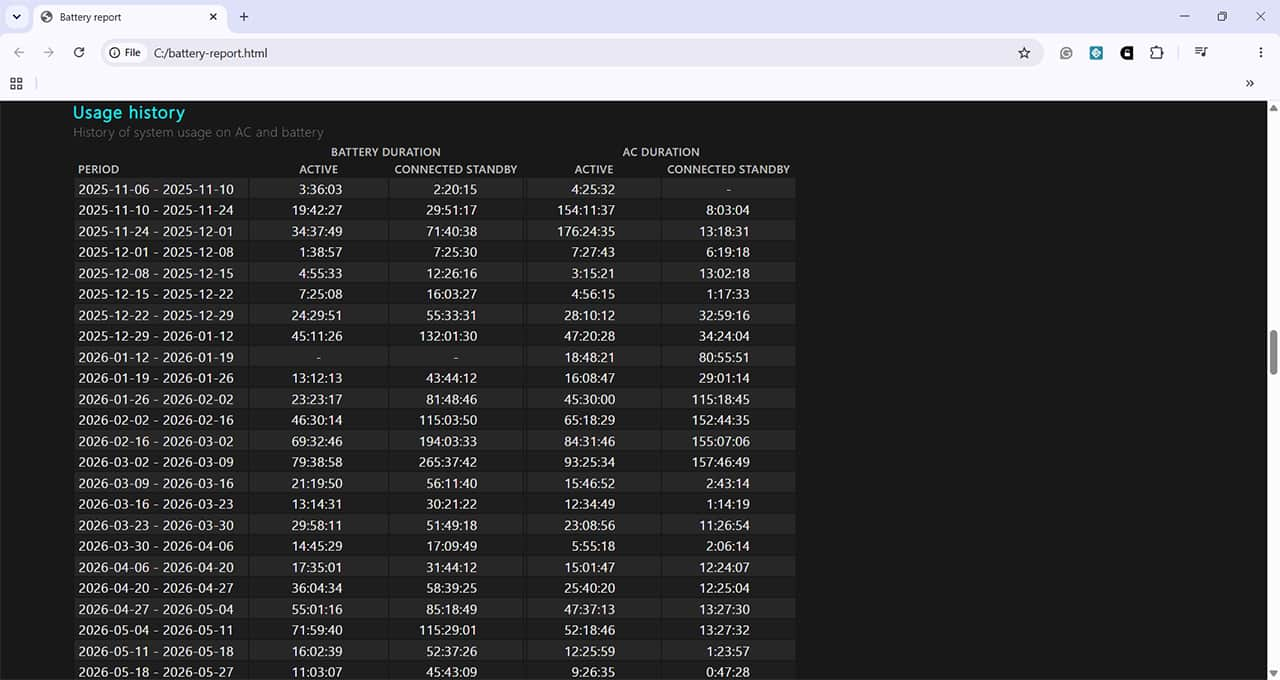
There’s also a list of when you were using the battery versus AC mains power.
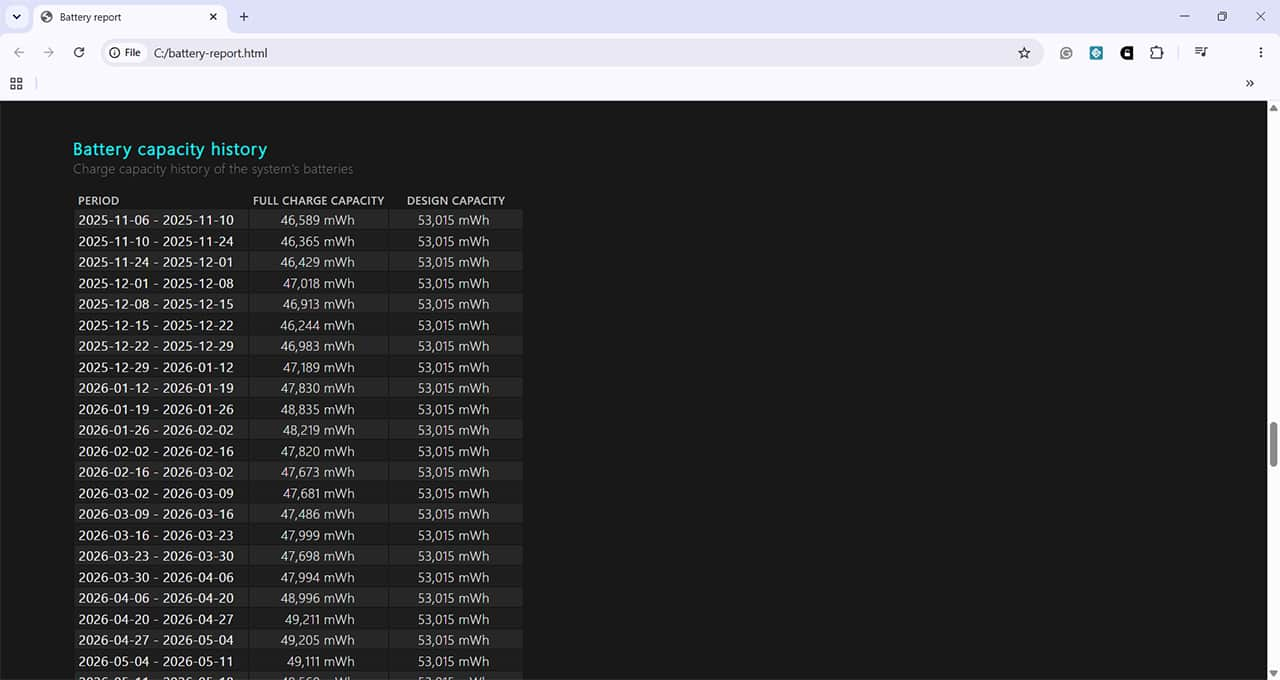
One of the most useful sections is just below this. This shows the capacity the battery is designed to have versus the actual capacity the battery can hold. If this starts to drop off significantly, it could indicate that you need to consider a new battery soon.
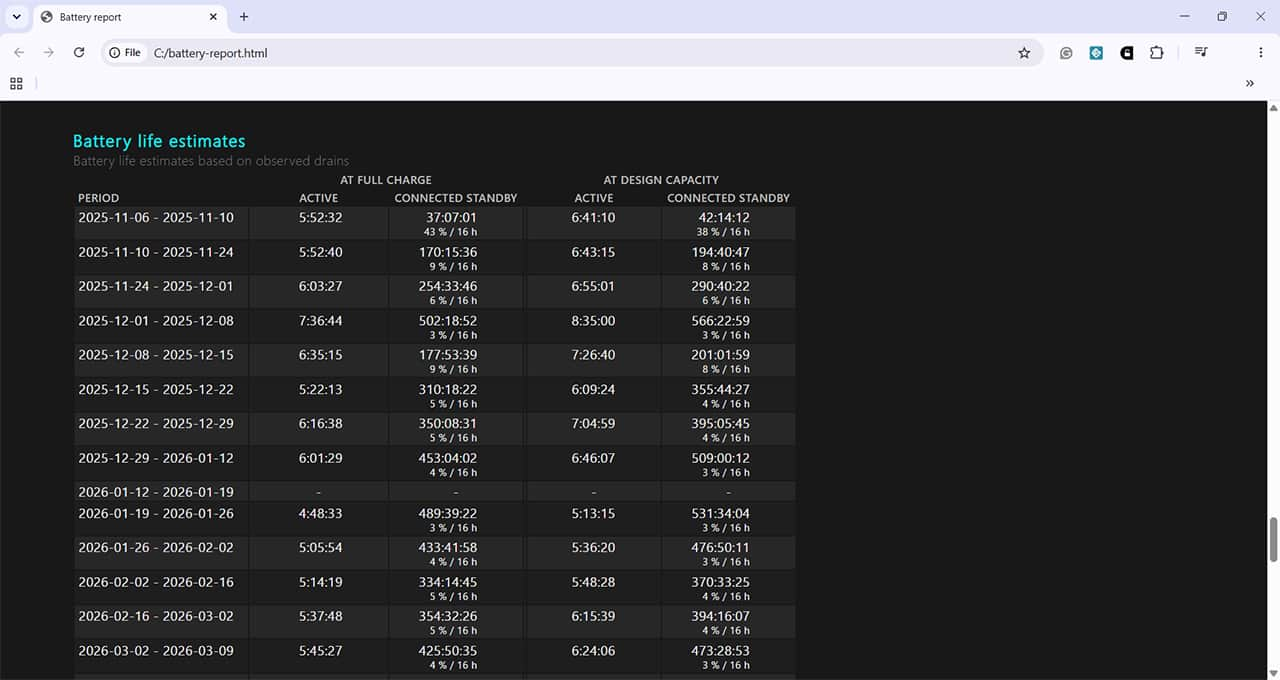
There’s also a list of estimates of how long the battery should last, so you know approximately how long you can use your laptop without access to mains power.
Why Does My VPN Keep Disconnecting? 7 Common Causes And Easy Fixes
Read Next