Is an Older Android Phone More Vulnerable to Attack?
Reusing older smartphones is a great way to save money, plus it’s better for the environment. The constant production of new devices causes pollution and uses up natural resources. But you might not have all the security features of the latest Android smartphone, so is an older Android phone more vulnerable to attack from cybercriminals?
You may be familiar with the older version of Android problem, in that new updates have a new security protocol created to deal with emerging security risks. Here are some reasons older phones may be at risk from hackers and what you can do about it.
The Older Version of Android Problem: Security Risks
Malicious actors (hackers) will look for any crack in a device’s security to steal data. They use this data to log into your accounts, fake your identity, and even access your finances.
Newer devices have security patches that are built to withstand the newest or emerging threats. But older devices don’t automatically have these patches, making them vulnerable to cybercriminals.
Signs that someone could have hacked into your Android phone include:
- Your battery drains quickly, but the way you use your phone hasn’t changed.
- Your data usage is unusually high.
- Your phone gets hot even when you don’t have many apps open.
Here are a few things you can try to update your Android phone and make it more secure against security threats.
Check and Update the Software
Step 1. Swipe down twice from the top of your Android device’s screen.
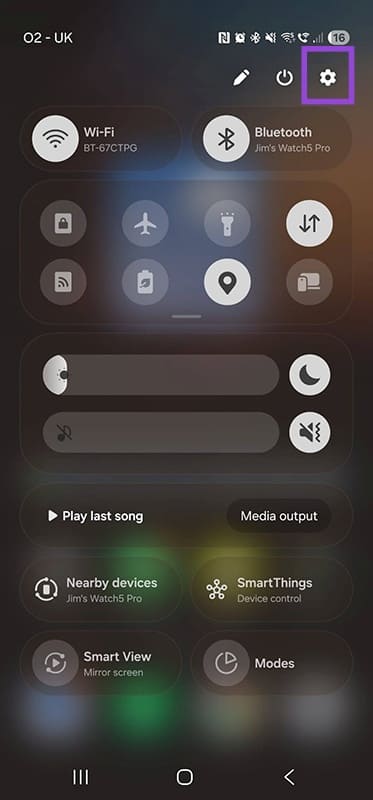
Step 2. Tap the gear-shaped icon to open “Settings.” Scroll down until you see “About Phone.”
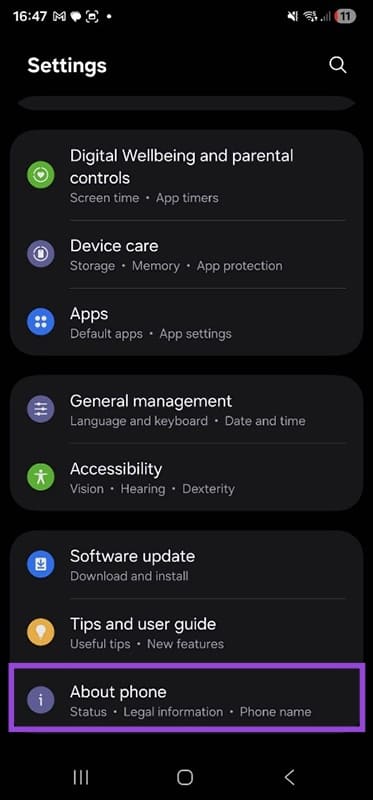
Step 3. From this screen, tap on “Software information.”
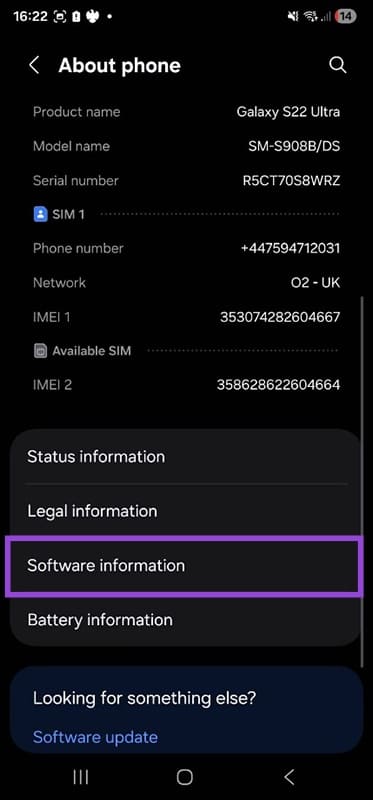
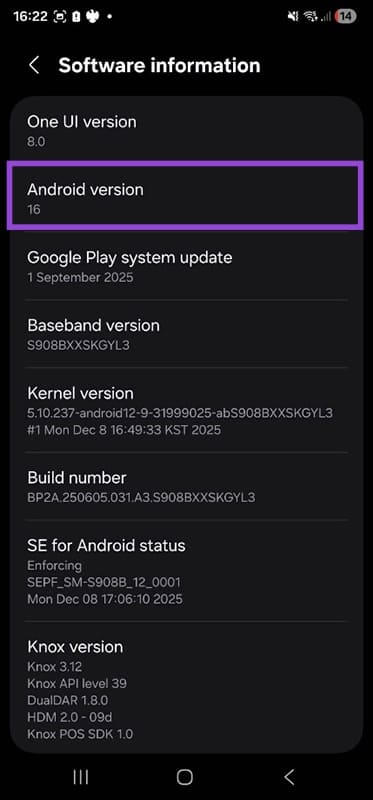
Step 4. Check that the Android version is up to date. As of January 2026, the current Android version is 16.
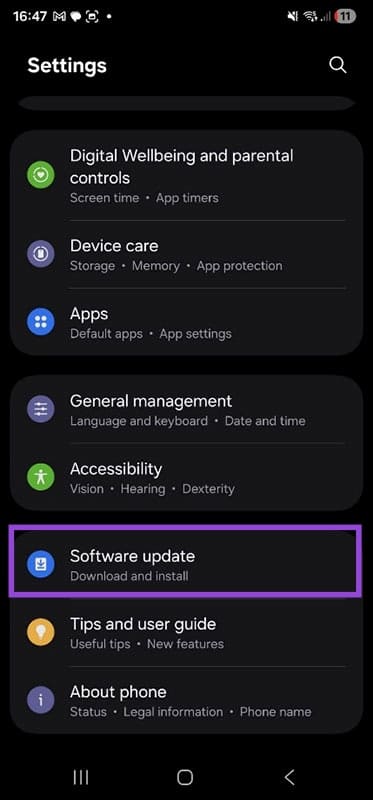
Step 5. To double-check that your software is up to date, go back to “Settings” and select “Software Update.”
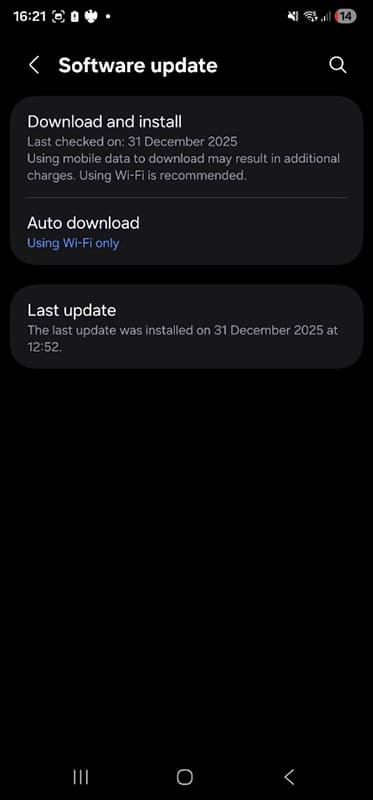
Step 6. You will now see the last time the phone checked for new software, and you’ll be prompted to download and install the new software if any is available. Note: If the phone won’t update to the latest version of Android, it is obsolete and cannot be considered secure.
Change Security Settings
Step 1. Go to “Settings” again and select “Security and Privacy.”
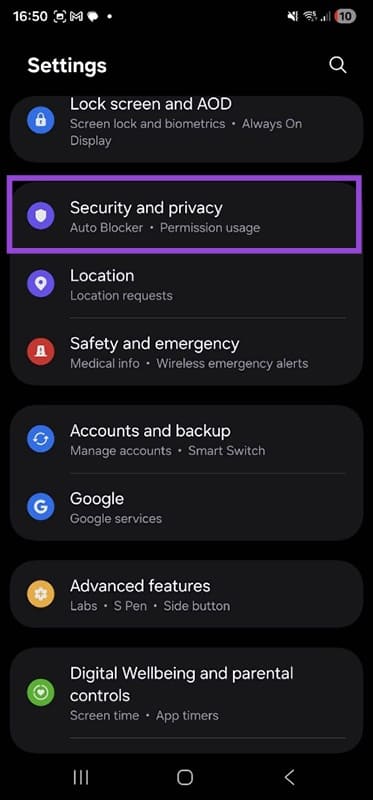
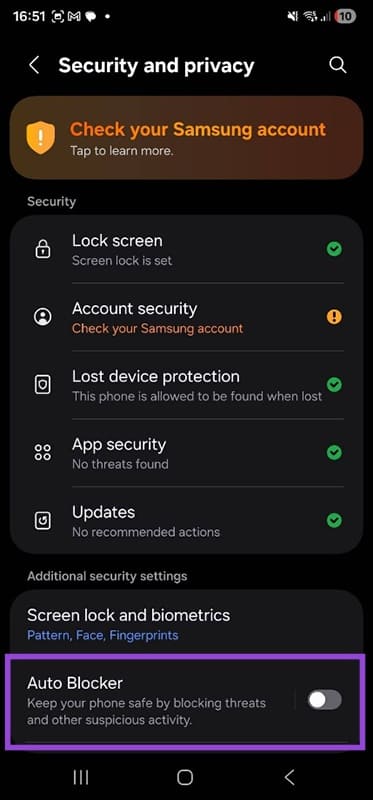
Step 2. You may see an option that says, “Auto Blocker.” Toggling this to “On” offers an additional layer of protection by blocking threats and suspicious activity.
Step 3. Scroll down to see “Permissions used in the last 24 hours.” From here, you can see any apps that are activating without your permission. You can delete these apps or alter their settings as needed.
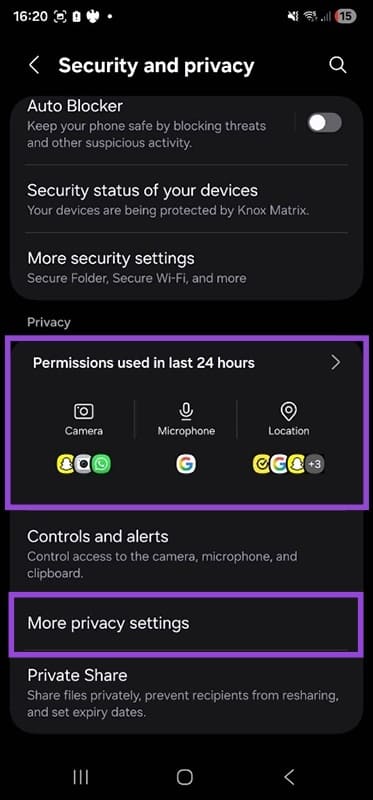
Step 4. Click on “More privacy settings” then “Permission manager.”
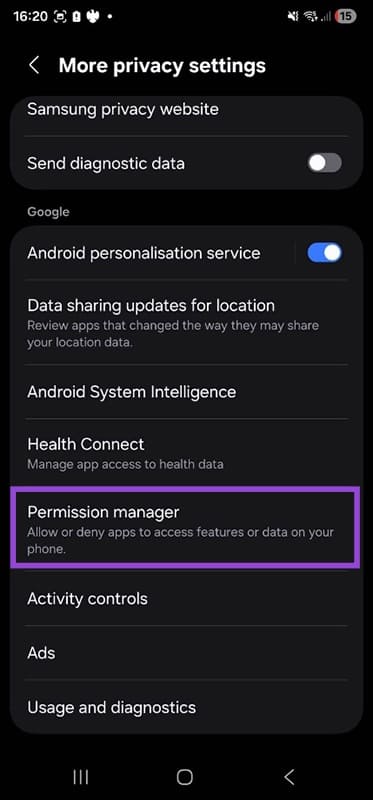
Step 5. You can now see a list of all your apps by category. Click a category, for example, location.
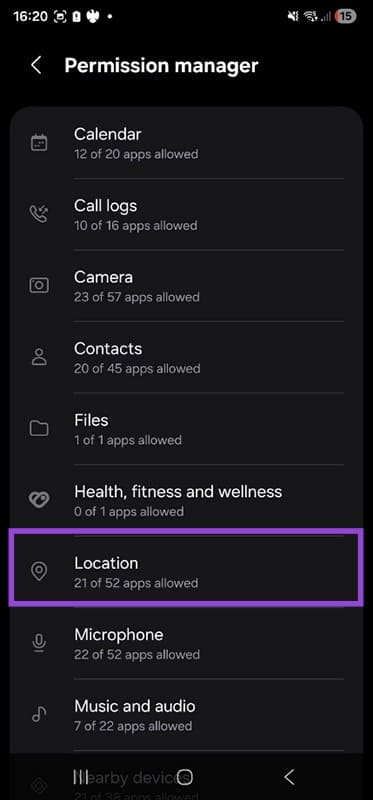
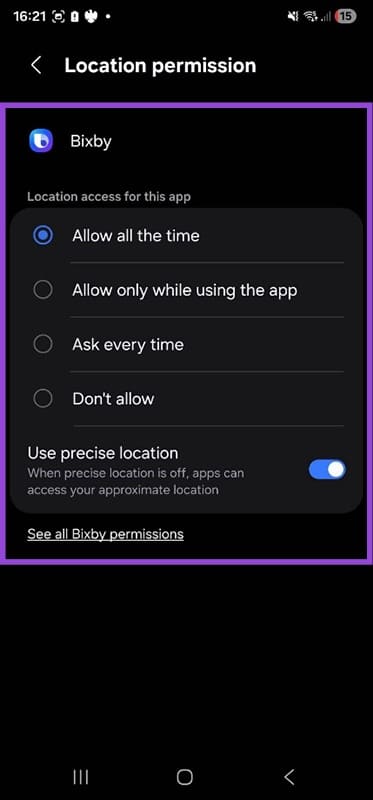
Step 6. This shows you which apps have location access all the time, which have limited access, and which have no access at all. Tap an app’s name to access its individual controls.
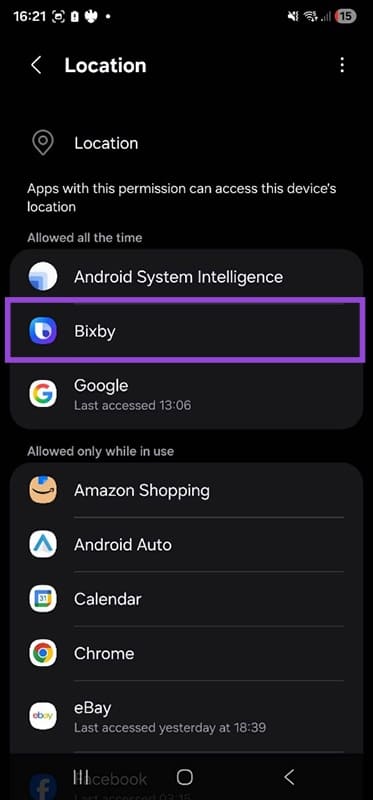
Step 7. You can now adjust the app’s security and privacy settings, locking down apps to be as secure as possible.
Is an older Android phone more vulnerable to attack? Absolutely, and keeping it updated and secure can be challenging.
Remember, the only way to ensure your device is as secure as possible is by keeping your software up to date and investing in a new device when necessary. If your phone manufacturer states that they’re no longer supporting a particular model, that’s when you know it’s definitely time to upgrade.
Dealing With Performance Issues on Your Xbox - 4 Solutions
Read Next