


Why Frictionless IT Onboarding Is the New Retention Standard for Remote Teams

Picture a new hire’s first week on a remote team. Monday goes on a password hunt. Tuesday, they wait for someone in #it-help to approve a GitHub invite. By Wednesday afternoon, the VPN still drops every twenty minutes, and nobody has handed them an actual task yet. Most people won’t complain about it. They just file it away somewhere. Six months later, that memory often helps explain why they leave.
Day One Is Where Remote Retention Gets Decided

Nobody quits because an MFA prompt looped twice. Obviously. It’s sneakier. Give it a few days and the new hire has figured some things out alone. Tickets sit. Nobody seems to own access. And asking twice? Feels pushy, so they don’t. They adjust. Then they start looking around a little earlier than they otherwise would have.
The teams that don’t run into this mostly fixed it before the hire’s first day even started, with tooling, not a nicer welcome deck. Once enterprise IT leaders roll out decent employee experience solutions that automate workplace provisioning and self-service, a remote hire’s laptop is good to go about ten minutes after it’s switched on, and nobody sits around for three days waiting on a ticket.
DXC Technology is one name that comes up a lot here, mostly with big companies. They tend to build on whatever the client already pays for, be it Microsoft, Apple, ServiceNow, or Okta.
Ask around any IT team and the same day-one stories come up:
- the laptop came with a local admin account and a password on a Post-it
- a welcome email with fourteen apps to request, one ticket each
- VPN config arrived three hours after everything else (in a separate email, naturally)
- The hiring manager spent half of Monday screen-sharing instead of explaining the job
Two out of four is pretty typical. All four happens more often than anyone admits.
What a Frictionless Setup Is Made Of

Fast shipping helps, sure. But a laptop showing up on time is maybe a third of the job. The rest is accounts and permissions, and those need to be sitting there, ready, the first time somebody types a password.
Zero-Touch, Windows and Mac Edition
For Windows fleets, the usual answer is Windows Autopilot with Microsoft Intune. The trick happens at the reseller. They upload the hardware hash to the company’s tenant before the box goes anywhere. Then it ships to someone’s flat in Kraków or Austin, wherever. Wi-Fi, work email, password.
Intune grabs it from there and pushes compliance policies, certs, Office, the VPN client, whatever the Enrollment Status Page is configured to wait for. The user mostly watches a progress bar.
Sometimes unexpected system restrictions pop up during configuration, such as when users encounter annoying permission restrictions or the frustrating settings managed by your organisation, but automated deployment profiles help minimize these hurdles right out of the box.
Macs? Apple Business Manager handles it, more or less the same way. Each serial gets pointed at an MDM (Jamf, Kandji, sometimes Intune), and when the person hits Setup Assistant, the enrollment screen just shows up. Users can’t skip past it. That’s the whole point, really. Wipe the MacBook six months later and it’ll re-enroll on its own the next time it’s set up. No courier, no shipping label.
Identity, SSO, and SCIM
A configured device with no accounts on it is just an expensive paperweight. Accounts come from the IAM side. In plenty of mid-size and bigger companies, it all kicks off in Workday. HR adds the new worker. Okta, or Entra ID if it’s a Microsoft shop, picks that up. Then SCIM goes off and creates the Slack, Google Workspace, GitHub, Zoom, and Jira accounts, matched to team and title. Nobody clicks anything.
The user sees one sign-in page and enrolls MFA once. That’s it. Smaller companies, or ones running a mix of Mac, Windows, and Linux machines, often go with JumpCloud instead, since it bundles the directory, SSO, and device management into one console and saves a fair amount of scripting.
SaaS Access Governance
Truth is, this is the bit lots of teams just skip. Email, chat, HR portal? Easy. Those are birthright apps and they automate nicely. Role-specific stuff is messier. Designers want Figma. Analysts want Snowflake, plus Looker. Finance wants NetSuite, and with oddly specific permissions, too. No process, and it all ends up in DMs (or worse, in someone’s spreadsheet). A ServiceNow catalog fixes most of that. Pre-approved bundle per role, a proper sign-off for the sensitive systems, done. Offboarding gets far less scary, too.
For distributed organizations managing administrative privileges across multiple platforms, maintaining strict oversight over employee access levels is vital, much like implementing tips for keeping control of remote desktop users’ permissions to prevent security blind spots.
Self-Service Does the Quiet Work

It’s the least exciting part and probably the most underrated. With a half-decent portal, a new hire can reset their password, pull an approved app from Company Portal (or Self Service on a Mac), or request a license at 11 p.m. local time, and nobody’s phone buzzes. Spread a team over six or seven time zones and that’s worth more than most of the flashy stuff vendors like to demo. The help desk gets fewer “quick question” pings, and the new person stops feeling like a burden for needing things. Small win? Maybe. Over a whole hiring year, it adds up fast.
A fairly standard stack these days looks something like this:
- Workday, BambooHR, or Rippling as the HR source of truth
- Okta, Entra ID, or JumpCloud for identity
- Intune plus Autopilot for Windows; Jamf or Kandji plus Apple Business Manager for Mac
- ServiceNow or Jira Service Management for requests and workflows
- Firstbase or an in-house depot for shipping hardware out and getting it back
Why a Rough First Week Costs More Than It Looks
Some quick back-of-the-napkin math. A developer earning $140,000 a year costs the company around $540 per working day. Three days stuck waiting on access is roughly $1,600 gone before the first pull request. Now multiply by 200 hires a year. Not exactly pocket change, is it?
Still, the salary number is the smaller problem. What really hurts is what the new hire concludes about the place. Usually something along these lines:
- nobody actually prepared for their arrival
- getting help is slow, so it’s better not to ask too often
- and, probably, this is just how things run here
That last one sticks around for months.
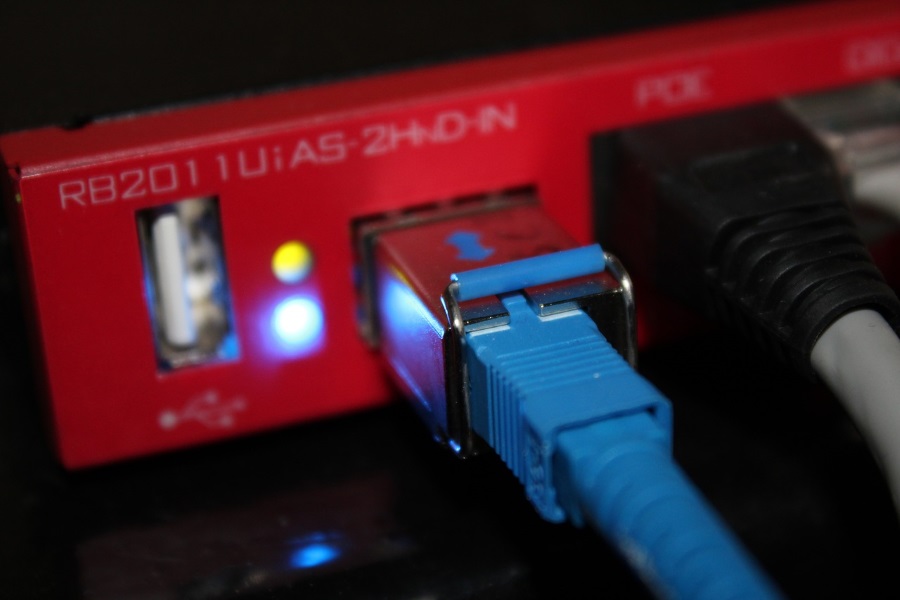
In an office, a colleague would lean over and fix the printer in two minutes. Remote people don’t get that. They get a ticket number and a help channel where the reply time is somewhere around 40 minutes on a good day. And a tiny glitch feels huge when nobody’s in the room to shrug at it. Occasionally, local network failures or an unexpected IP address conflict can completely derail a remote employee’s first morning online, making resilient IT documentation and instant self-service tools absolute lifesavers.
Flip it around, though. Lid open, one sign-in, and Slack, Outlook, the repo, the calendar are all just… there? People notice. Honestly, they tell their friends about it.
Hybrid Doesn’t Get a Pass
There’s a common assumption that hybrid hires are fine because they can just swing by the office. Except plenty of them start on a remote day, and the first office visit might be a week or two out.
In the meantime, they work around a half-configured laptop with a personal Gmail and a phone hotspot. Security people hate it (fair enough). Treating every single onboarding as a fully remote one ends up being less work, oddly. If it works for someone in Lisbon on patchy Wi-Fi, it’ll work for someone ten minutes from HQ.
The Hidden Cost on Managers
When onboarding breaks, the team lead ends up doing IT’s job on the side. Forwarding invites. Chasing approvals. Twenty minutes on Zoom walking someone through a VPN profile. One bad week can easily take four or five hours out of a senior engineer’s calendar. Nobody budgets for that. When communication channels get clogged with repetitive onboarding troubleshooting, it often feels as disruptive as dealing with unwanted spam calls, prompting teams to look into alternatives to TrapCall or other workflow-streamlining methods for their personal and professional communication layers.
How the Flow Looks When It Works
So what does a good version look like? Something like this:
- Offer signed. HR drops role, location, manager, and start date into Workday.
- That record triggers a ServiceNow workflow: hardware order, access bundle, welcome emails.
- A laptop that’s already registered in Autopilot or ABM ships to the home address and lands three to five days before day one.
- Okta or Entra ID sets up the account ahead of time. Disabled until the start date. Groups already in place, though.
- Day one. Sign in, MFA, coffee. By the time the mug’s empty the laptop has most of what it needs.
- Extra license? Admin rights? Second monitor? Portal. Not Slack.
Done properly, it goes from three working days to roughly 12 minutes. That’s first sign-in to a desktop where Outlook, Slack, and the main apps open without complaint. And that’s on an ordinary home connection with a properly tuned Autopilot profile. Nothing exotic.
Common Snags
Even mature setups trip over a few familiar things:
- A reseller forgets to upload the hardware hash, and the laptop boots into the consumer setup screen as it came from a retail shelf.
- Conditional access blocks sign-in from unmanaged devices, but the device only becomes managed after sign-in. Entra ID’s Temporary Access Pass is the usual way out.
- 6 GB of apps over weak Wi-Fi turns 12 minutes into two hours. Delivery Optimization helps, and so does pushing the big installs later.
- Customs. Some countries add a week to delivery no matter what. Order earlier or use a regional depot.
- Apps that never got connected to SSO, which means manual accounts now and manual offboarding later.
What to Measure
Shipping stats on their own won’t convince anyone that onboarding helps retention. These numbers might:
- how long it takes from opening the box to actually getting work done
- onboarding tickets per new hire in month one (more than a handful usually means something’s off)
- lead time on role-specific access requests
- 90-day and six-month retention by hiring cohort, before and after automation
- quick pulse surveys at day 7 and day 30, read alongside DEX data from Nexthink or ControlUp if the company has it
Once IT data sits next to HR outcomes, budget talks get a lot shorter. Show that people who were up and running in under an hour stuck around longer than the ones who waited three days, and the CIO probably won’t have to make the case twice.
Final Thoughts
Not really, no. For a distributed team, the first login is basically the company’s first handshake. Zero-touch devices, identity-driven access, and a self-service catalog are the baseline now, the thing that tells a good engineer they picked the right place.
Get those first 12 minutes right and the next twelve months are a lot easier to win. Building a seamless digital welcome sets the tone for long-term engagement, turning early operational friction into a competitive advantage for remote talent retention.