



Productive Things to Do on Your Phone When You’re Bored (Tech Edition)
Your phone is usually nearby when ten free minutes appear, whether you are waiting for a train or taking a quick break between device troubleshooting sessions. Instead of letting short-form feeds take over those gaps, you can use that downtime for quick, tech-focused micro-tasks.
The productive things to do on your phone in this list have a clear endpoint, leaving you with a saved configuration idea, a clean local storage backup, or a smart automation shortcut.
1. Learn a Quick Tech Concept with Micro-Lessons
When boredom makes your phone feel like the easiest option in the room, you can turn that habit into a learning session. You can use an app like Nibble to explore short interactive lessons covering artificial intelligence, cybersecurity, mathematics, and programming fundamentals.
A bite-sized lesson works well when you want a clear finish point instead of endless browsing. It gives you a way to build technical context around a new tool or framework you saw earlier in the day without committing to a multi-hour video course.
2. Audit Your Smart Home Configurations
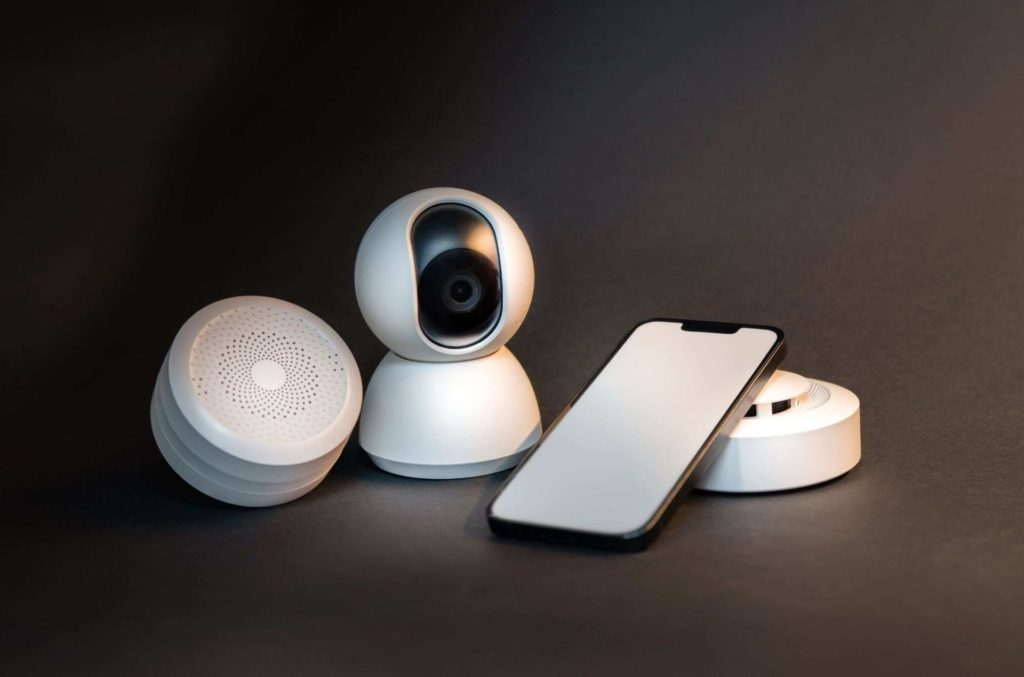
If your living space is wired with connected plugs, smart bulbs, or security cameras, your phone acts as the central command hub. Use a spare few minutes to review your automated routines and device groupings.
Checking your connected ecosystem is a great way to explore how to make an apartment a smart home by tweaking geofencing triggers, renaming offline bulbs, or setting up energy-saving schedules while waiting for an appointment.
3. Streamline Mobile File Transfers and Backups
We often accumulate random document downloads, APK installers, and screen recordings that clutter our mobile storage. Use a spare moment to organize your local downloads folder.
While managing files on mobile can feel restrictive compared to robust desktop utilities like robocopy, the handiest Windows feature, sorting your mobile files now saves you from a massive digital cleanup later.
4. Clear One Small Section of Your Photo Library

Screenshots build up quickly on mobile devices. Receipts, troubleshooting screenshots, product specs, and copied memes can make it hard to find the image you actually need.
Open your photo library and choose one narrow category, such as clearing out blurry screenshots or duplicate downloads. Keep the task short, as five minutes is plenty of time to make a visible difference without turning your break into an exhausting chore.
5. Save a Code Snippet or Tech Idea
A quick technical thought or terminal command can easily vanish by the time you get back to your desk. Your phone notes app gives it an instant place to stay.
Write down the command or workflow idea, then add one line about why you saved it. A terminal flag or API endpoint becomes much more useful when your note includes the specific project repository or server environment it relates to.
6. Map Out Automation Scripts and Shortcuts
If you enjoy streamlining your digital life, use your phone to plan out your next workflow automation. You can sketch out mobile shortcut triggers or draft macro steps for repetitive tasks.
If you share your devices with family or want to keep certain apps locked down for younger users, reviewing guides on the best tablets for kids can help you plan out parental controls and restricted user profiles before handing off your hardware.
7. Handle One Piece of Digital Admin
Search your inbox for a notification that has been waiting too long. It could be a software subscription renewal, a hosting bill, or a receipt you need to archive:
- Make one account decision
- Archive or folder the notification thread
- Save important software license keys to a secure note
- Unsubscribe from promotional mailing lists you never read
This activity has a strict, useful limit. Handling a single message thread keeps the task from snowballing into a full inbox overhaul.
8. Review Network Security and Device Permissions
Take a moment to check which applications have active location tracking, microphone access, or local network permissions.
Open your device settings and revoke permissions for apps that no longer need them. Regular privacy hygiene keeps your phone running efficiently and protects your personal data from unnecessary background tracking.
9. Test Mobile Graphic and Layout Concepts
A phone can help you test a quick visual direction when you have a design concept in your head. Use mobile design apps or canvas tools to draft a rough wireframe or social graphic.
The quick output can help you decide which color palettes or layout elements need tweaking before you sit down at your primary workstation to build out the full project file.
10. Manage Media Streaming Queues on the Go
If you like to unwind with videos, podcasts, or tutorials, use a brief break to queue up your watch list across your entertainment apps.
Managing your media queues in advance helps you avoid endless browsing later. For instance, if you are casting content around your house, knowing tips on how to pause on Chromecast ensures your playback controls remain seamless when you finally sit down to watch.
Final Thoughts
The most useful productive things to do on your phone are small enough to finish while you still have the device open in your hand. Educational platforms like nibble turn a short gap into a micro-learning session, while your notes app, file manager, and settings menu can each handle one contained tech task.
Keep a few of these activities in mind for the next slow moment in your day. You do not need a rigid routine, so just focus on knocking out one useful digital task before you lock your screen again.